
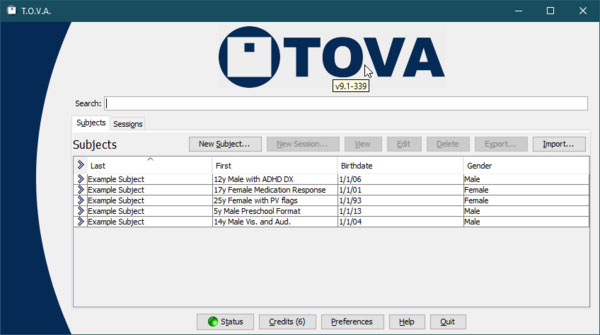
In your main T.O.V.A. window, hover your mouse over the large TOVA logo. The T.O.V.A. software version should appear.
- If the version does not appear, you are running an older version of the T.O.V.A. software. You can download the latest software here.
- If your T.O.V.A. software looks nothing like the image above, you may be running a VERY old version of the T.O.V.A. You can order an upgrade here.
The current T.O.V.A. hardware is a black rounded box with a white T.O.V.A. logo on the top.